A Legal Connector That Gets Out of the AI's Way.
DingDuff provides a surprising answer to an empirical question: Is it better to have a custom designed legal AI (like Westlaw's AI) or a tool that gives a frontier AI model (like Claude Opus) direct access to primary legal sources? As it turns out, connecting an AI LLM to a legal database is most powerful when you don't program a bunch of guardrails into the AI's response.
To this end, DingDuff connects your existing Claude account to a database of legal opinions, state and federal statutes, and millions of court filings from around the country. We don't try to tell the AI how to do its job, we've just empowered it to do its job better by giving it an efficient way to access those primary sources. Then we simply get out of its way, and we've found that it works better when we do so.
Who Is DingDuff For?
DingDuff is a tool built by and for practicing lawyers who are capable of serving as their own guardrail. It was never designed to be a commercial product — it is a tool that two lawyers (Kyle and Stephanie) built for themselves to be able to use in their day jobs.
Because we get out of the AI's way, the AI with DingDuff will occasionally get things wrong, although we have never seen it hallucinate fake cases. That's why having a lawyer-user is essential, and the reason we're making DingDuff available only to lawyers. In the same way many of the tools that allow craftsmen to express themselves fully, like a table saw, can be used improperly in unskilled hands, DingDuff is no different. But DingDuff is very useful to a skilled lawyer who can do more with a raw feed of cases than with a system held back by guardrails intended to make sure the tool is never wrong.
By signing up for and using DingDuff you accept the Terms of Service.
Get DingDuff
We've tried to make DingDuff as simple, accessible, and inexpensive as possible. You need three components to make DingDuff work for you: (1) your own Claude plan, (2) a username/password for the DingDuff “connector,” and (3) your own Anthropic API Key.
Sign up for DingDuff
Create your DingDuff account to get your connector credentials.
Install DingDuff on your Claude Account
Follow the steps below to connect DingDuff to your Claude account.
Bring Your Own API Key
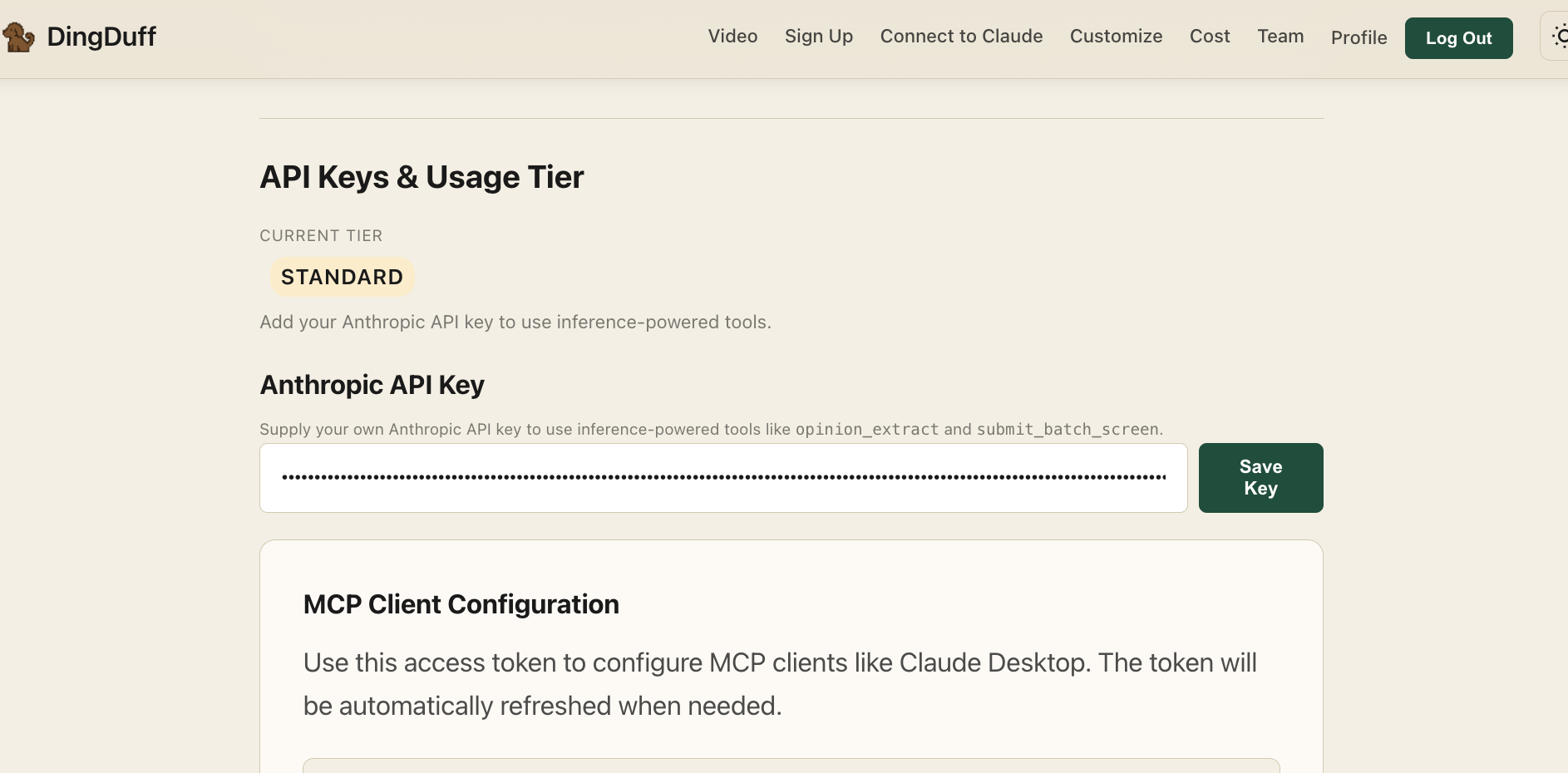
After you've connected DingDuff to your Claude account, get an Anthropic API Key and add it to your profile on the DingDuff website to unlock all the DingDuff tools.
Customize Claude Preferences
Add a skill file and custom preferences to get the best results from DingDuff.
Begin Researching
Ask Claude your legal questions. DingDuff connects Claude directly to primary legal sources.
Sign up for DingDuff
Install DingDuff on your Claude Account
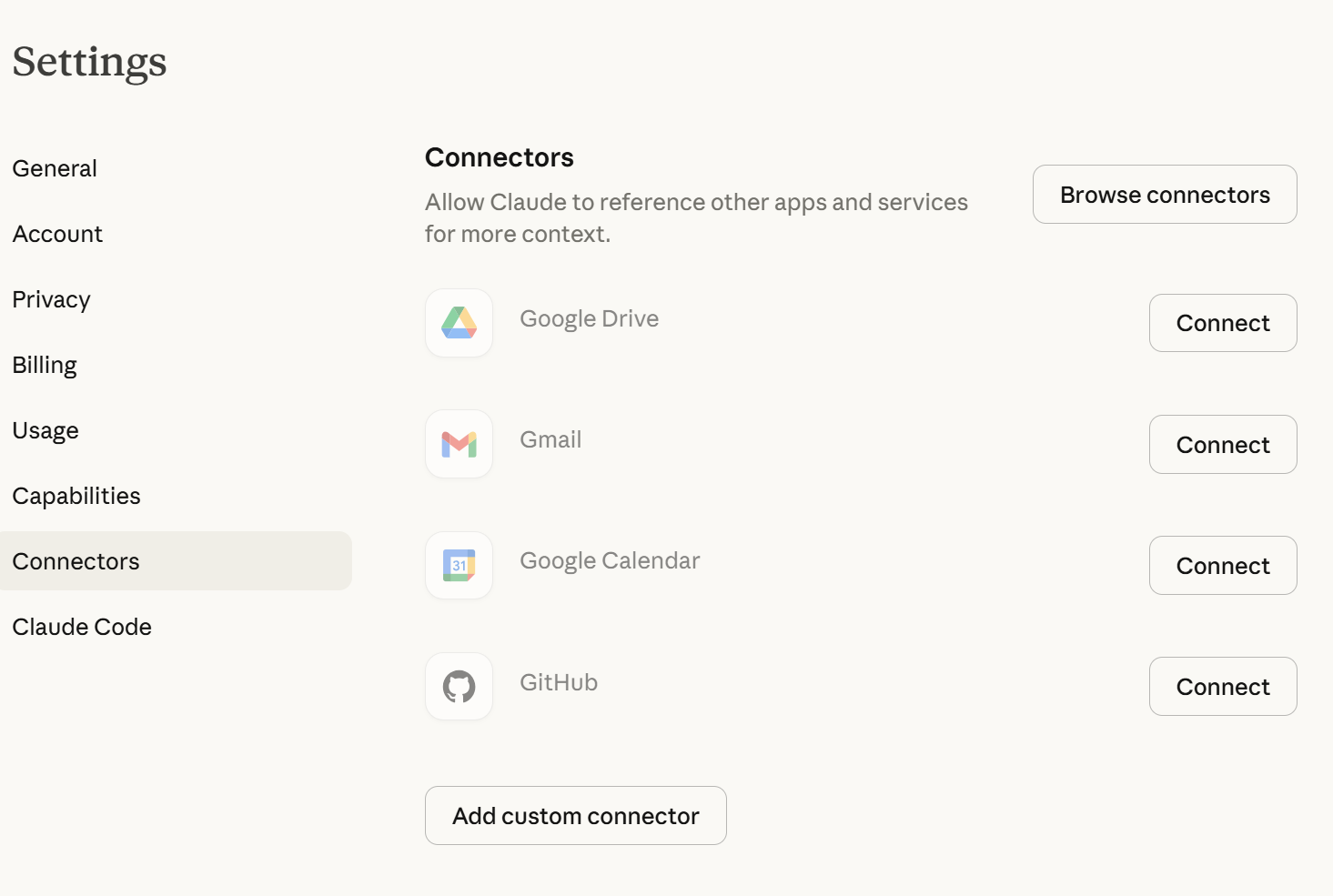
Go to the web version of your own Claude account and navigate to “Settings” → “Connectors” → “Custom Connector”
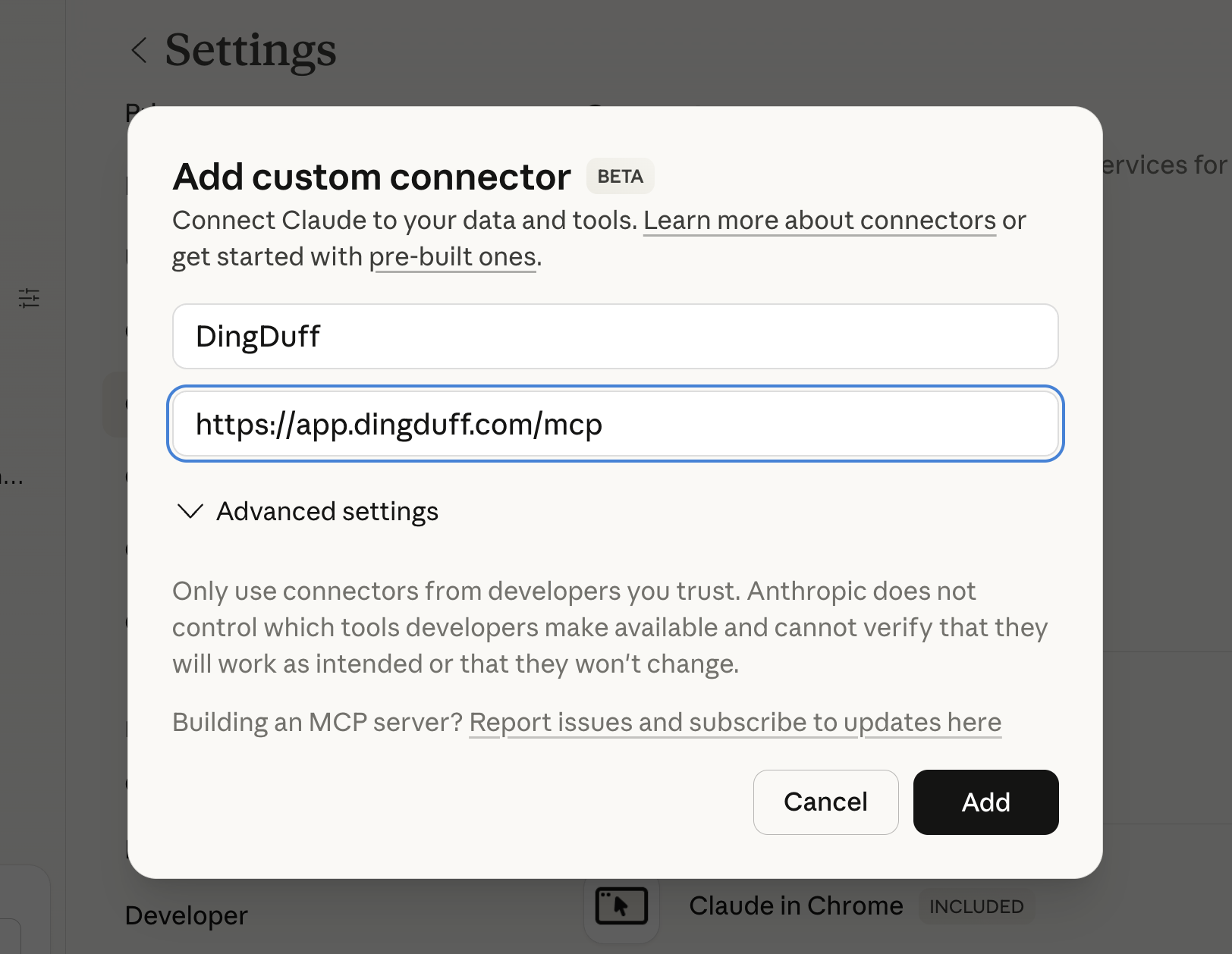
Fill in the blanks as follows and click “Add”:
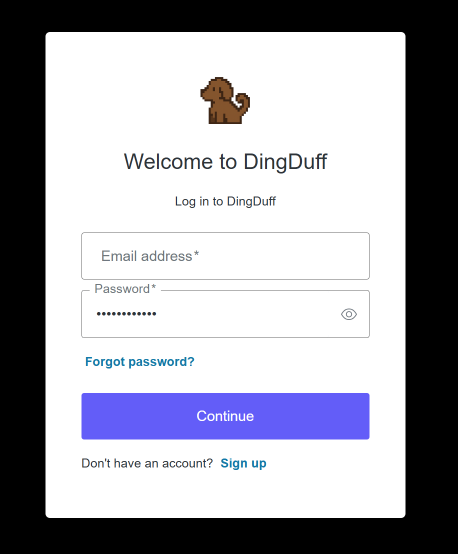
After you're redirected to the following page, enter your DingDuff username (email) and password:
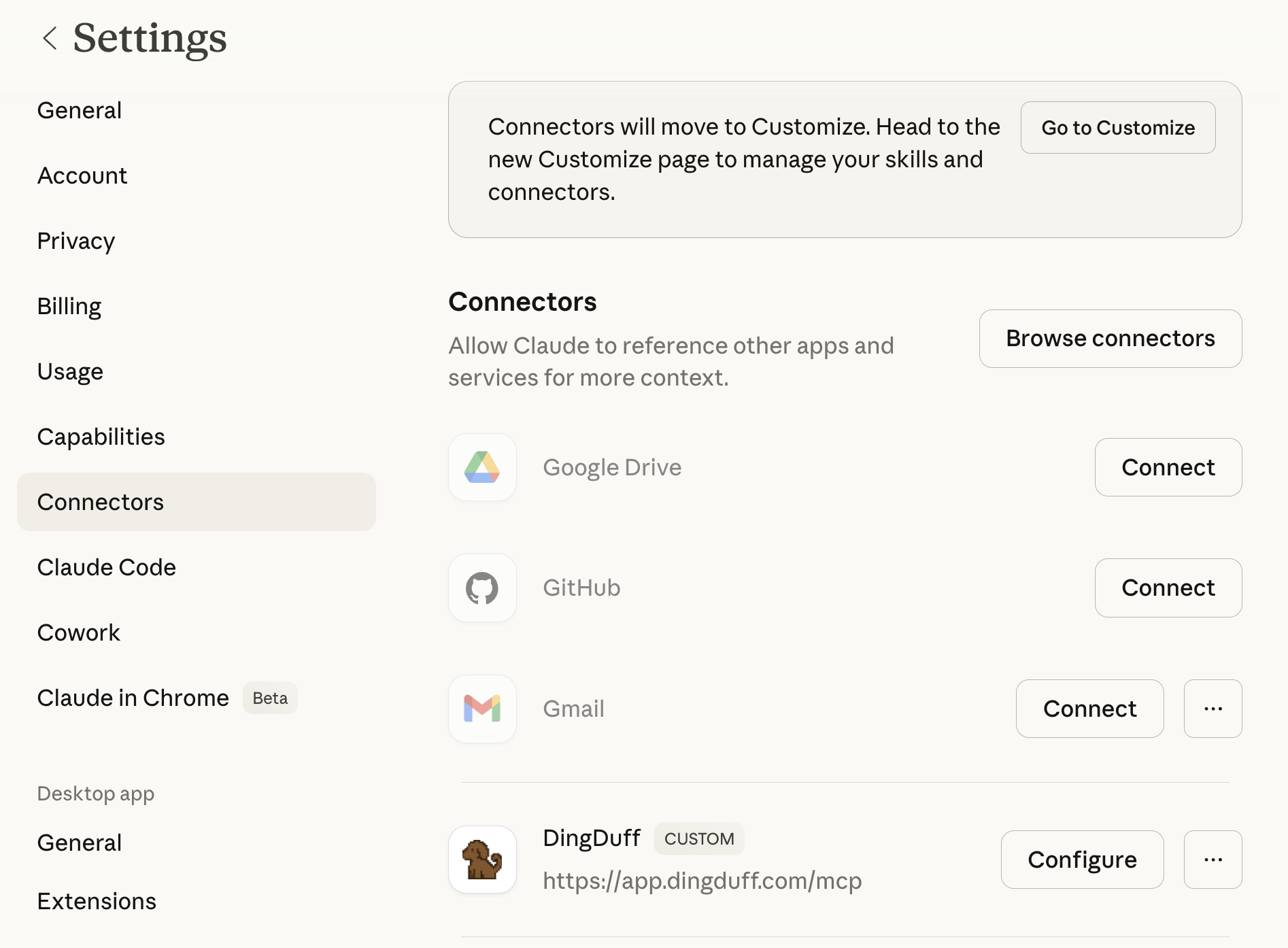
DingDuff should now be available as a connector. It will look like this:
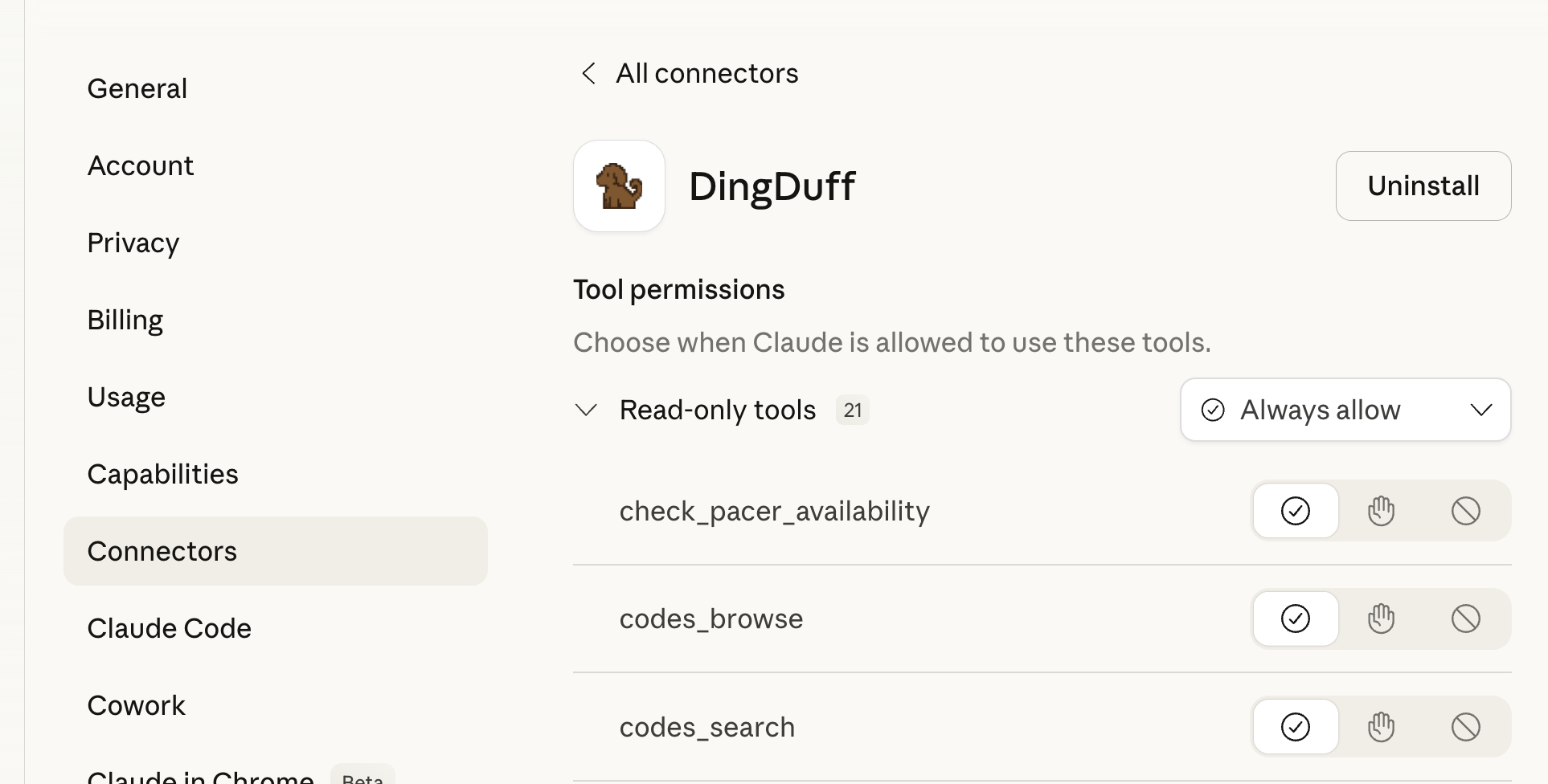
You can set the tool “permissions” by clicking on the configure button. We recommend configuring the DingDuff connector to always allow all its tools. To do this, select the check mark (instead of the hand) next to each DingDuff tool. This way you won’t have to constantly grant Claude access to the individual tools during any particular legal search:
Get Your Own API Key
To get your API Key
Open a chat window and make sure DingDuff is connected.
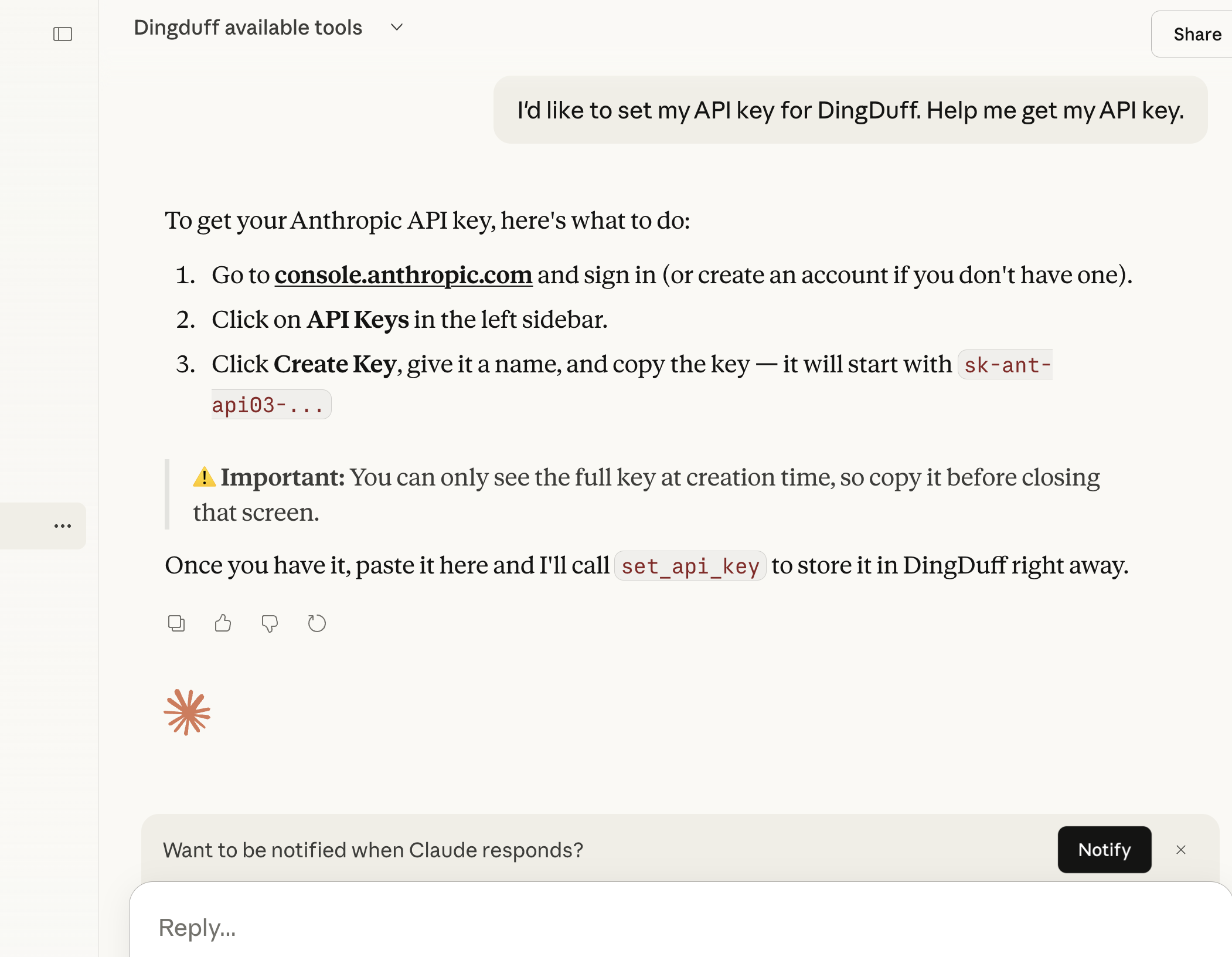
Ask Claude in the chat window to help you get an Anthropic API key so you can add it to the DingDuff connector to unlock all the DingDuff tools.
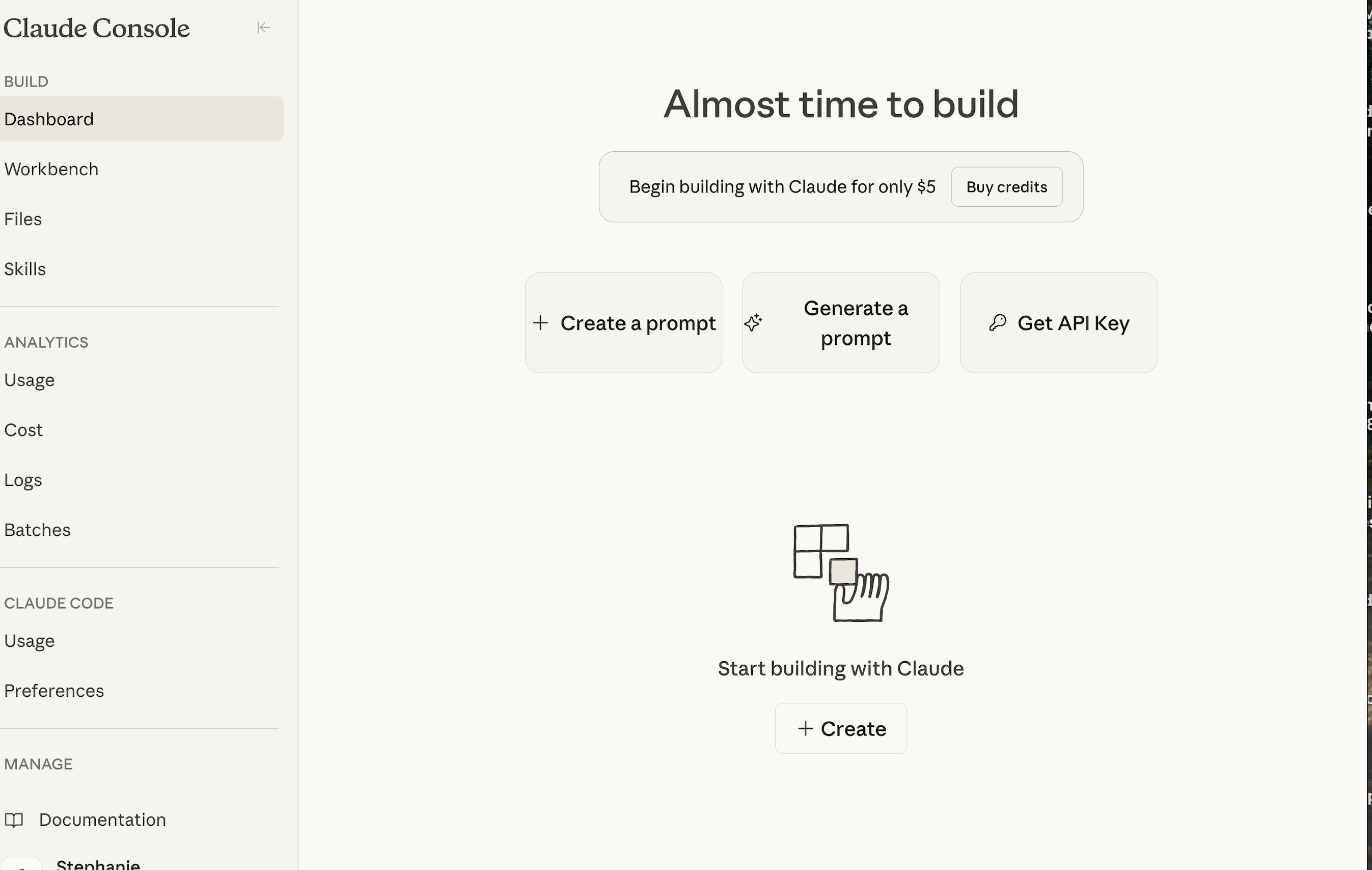
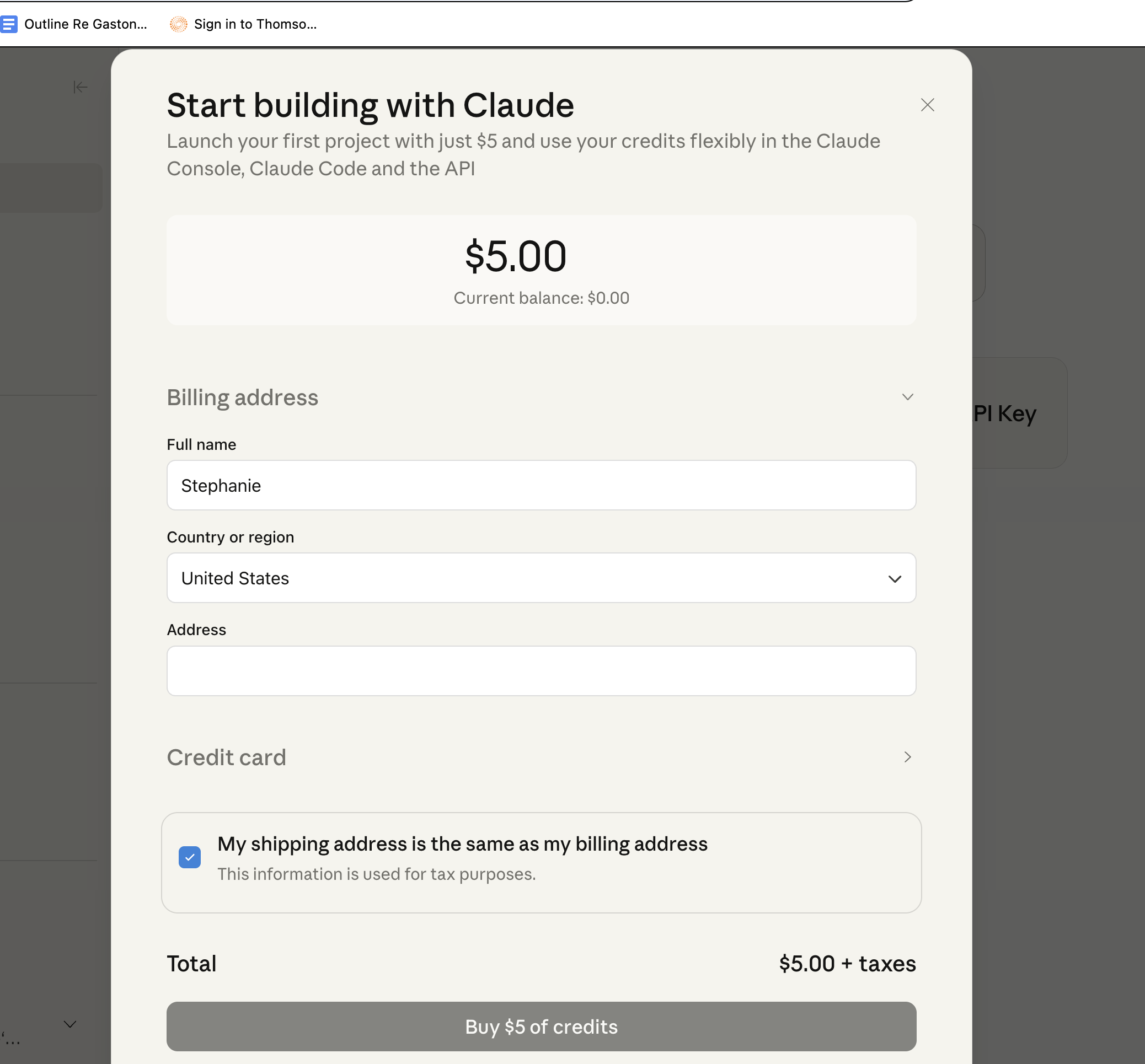
After Claude directs you to the Claude Console, you'll have to add payment info, create an Anthropic API key, and copy that key.
Log into your profile on our website and enter your API key into the blank provided.
Go back to your Claude account and test that it worked by asking Claude if your DingDuff connector has access to the “opinion_extract” tool. If it has access to the opinion_extract tool, then you're all set to go with a fully loaded version of the DingDuff connector.
Customize Claude Preferences
Skills
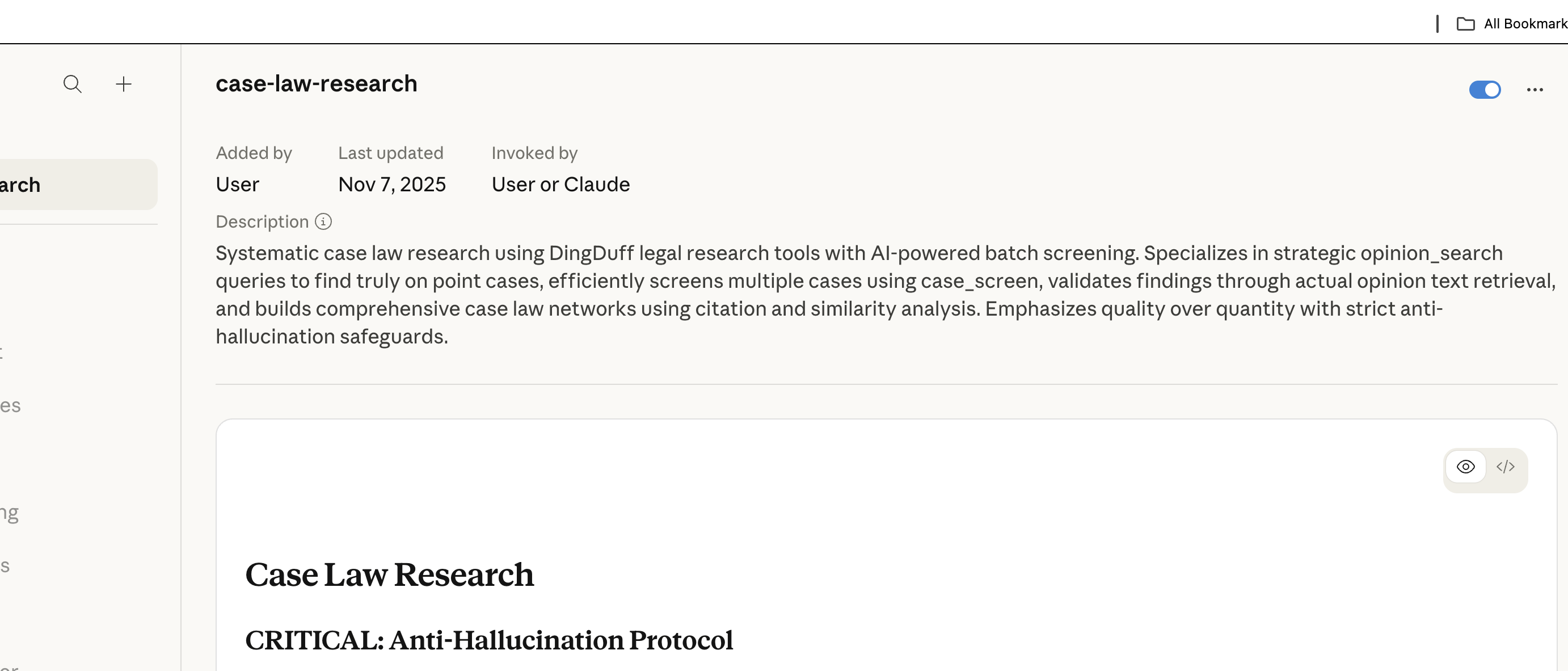
We highly recommend downloading the case-law-research skill file (a markdown file) and then uploading it to your "skills" in your Claude account. It will then just live there, and Claude will use it while you're conducting legal research via the DingDuff database connector. Even though DingDuff will work without the skill, the skill renders a higher quality answer.
First download the md file to your computer:
↓ Download Skill FileDo not try to open it. Upload it from your computer to the skills section of your Claude account:
Preferences
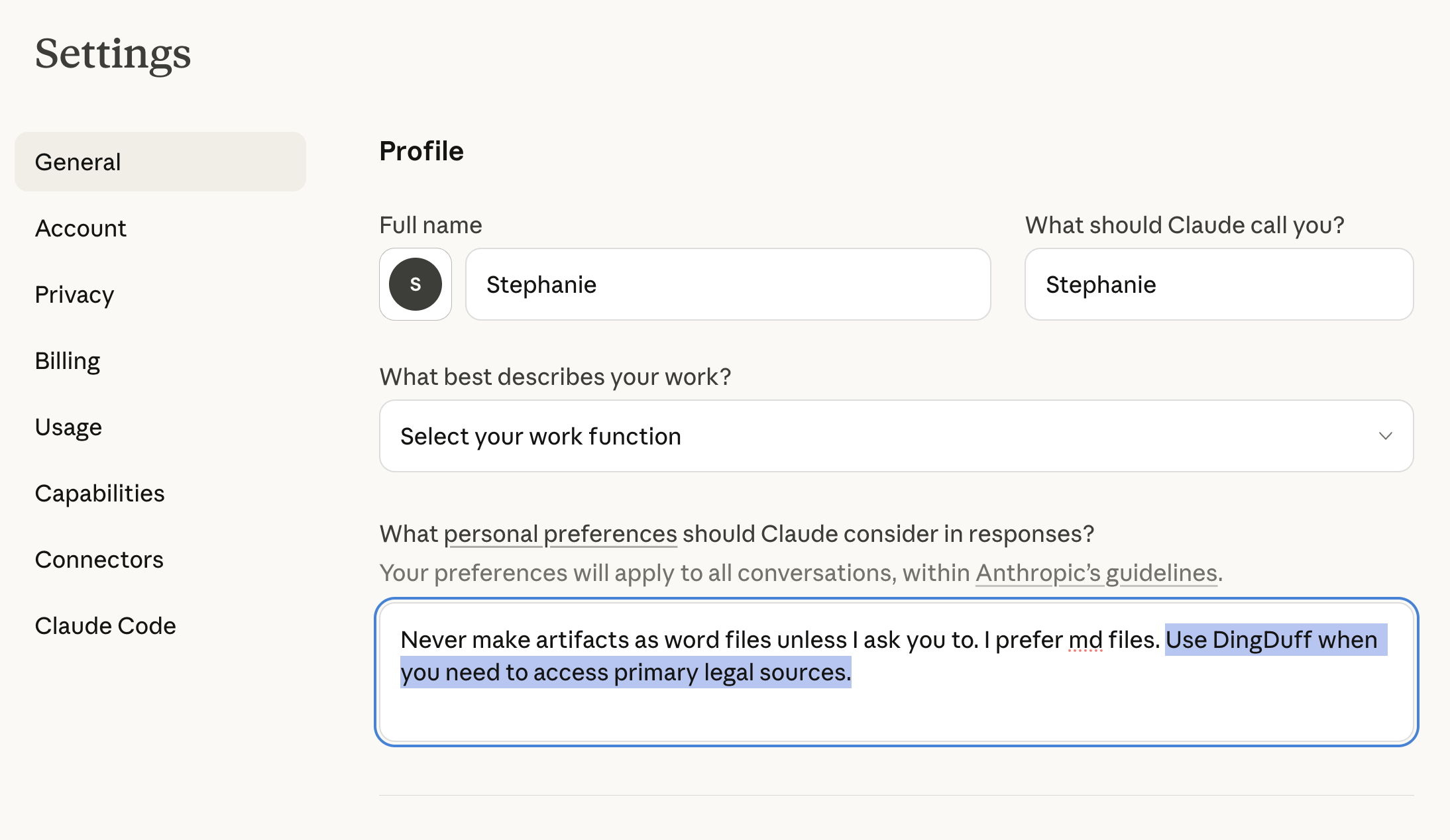
We also recommend adding custom instructions to your personal preferences that direct Claude to always access DingDuff when conducting legal research. This way you don't have to tell it to do so each time. This is what it looks like in our Claude accounts.
Privacy Settings
In your Claude account settings, we highly recommend turning off Claude's ability to train the LLM on your chats.
Researching with DingDuff
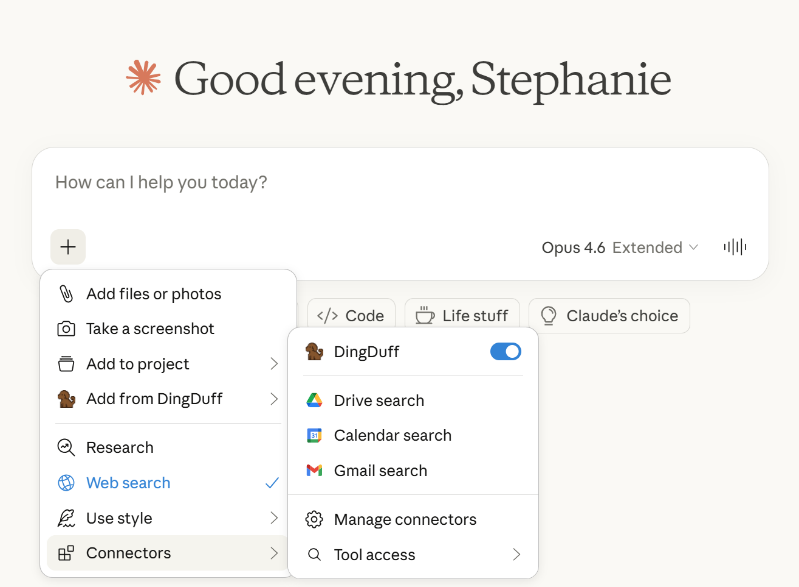
This is where it gets fun. To research with DingDuff, you simply open a "new chat" window in your web version of Claude. Make sure that DingDuff is "active" as a connector by hitting the "+" symbol in the chat screen and verifying that DingDuff is toggled "on." It will look like this:
Now you just type your legal question into the chat window. To get the best results, you'll want to direct Claude to do at least three things when answering your legal question: (1) "access only the DingDuff database" (this keeps it from reaching out to the wider internet); (2) tell it which jurisdiction you want it to pull cases from; and (3) ask it to provide citations in its response.
Hack: If you've set your Claude preferences (as suggested above) to always access DingDuff when you ask it a legal question, then you won't have to always ask it number (1).
Once you've entered your legal question, you'll have to be a little patient while Claude does its thing. You know DingDuff is working if it shows the little dog to the left as you see it thinking in real time (which is kind of fun). And in just a few minutes (although more complex questions can take up to ten or more minutes) you'll get a pretty good answer that (in our opinion!) rivals the leading AI databases for lawyers.
Cost
In an effort to make the DingDuff connector as inexpensive as possible, we have two options for covering our back-end inference costs: a BYO-API Key option, and a paid DingDuff-supplied API Key option.
Standard Tier (Free while DingDuff is still in Beta)
Under the BYO-API key option, you'll bring your own (a) Claude user account (for asking your legal questions using DingDuff) and your own (b) Anthropic API Key (to cover your DingDuff back-end inference costs).
This leads to two charges: (1) your regular Claude account charge, and (2) the API calls that DingDuff is making via your own Anthropic API key. We have found that, not including our monthly Claude subscriptions (such as the $100/mo Max plan), it costs about $10–15/user per month for the API calls that DingDuff makes with heavy legal research usage.
This is the absolute cheapest way we can give this tool to you.
Premium Tier (Not yet available)
Under the second option, you'll only have to bring your own Claude user account (for asking your legal questions using DingDuff). For a monthly fee to DingDuff, we will pay your back-end inference costs. This feature is not yet available.
Legal Sources in DingDuff
Currently available:
- All state and federal court cases (current through CourtListener)
- Federal statutes (USC) and federal regulations (CFR)
- Federal Rules of Civil Procedure, Appellate Procedure, Evidence
- Federal Rules of Appellate Procedure
- Federal Rules of Evidence
- Statutes, Rules of civil procedure, criminal procedure, evidence, and appellate procedure for most states.
Meet the Team
Like most lawyers these days, we (Kyle and Stephanie) felt acutely the twin fears that (a) the robots would eventually replace us, and (b) in the meantime, the other lawyers would get a better robot and use it against us. So before Westlaw AI even existed, and anticipating that other lawyers would soon have some sort of AI death star we'd have to confront, we began developing our own tool for our own use.
For a year, we've made small iterative improvements. DingDuff began as a scrappy interface to a database we had compiled locally, running on a Rasberry Pi tucked away in Kyle's closet. But it has since grown into something far more capable—a powerful legal tool that runs through several databases, including CourtListener** and state and federal statutes. And after two years of dreading the inevitable Westlaw death star, we discovered a happy accident: our homegrown tool works comparably well, and often better in our opinion.
Finding ourselves unexpectedly in possession of an incredibly useful legal tool with significant potential, we wanted to share it with our lawyer friends. To help turn DingDuff from a personal project into a shareable product, we brought on two software developers: Jeremy, a longtime friend from our undergraduate philosophy days at UT Austin, and Julia, a recent computer science graduate from Texas A&M.
**This entire project would never have been possible without the data heroes at CourtListener.
Kyle is a mass torts lawyer with a passion for history, philosophy, the law, and everything Reddit. He's a proud longhorn and the original (and main) brain behind DingDuff.
Stephanie is an attorney with a background in financial regulation and litigation. She's a UT undergrad and Columbia Law School graduate.
Julia is a software developer with a love for art and design.
George is Stephanie's dog and the DingDuff fetcher of legal sources.